

SmartAlex charges a monthly plan, plus usage such as calls, numbers and messages paid from a prepaid wallet. Calls are billed by the second and only while connected, and your plan’s free credits are used before the wallet. You can try everything free first, then start a trial of up to 7 days.
In the app: Sidebar → Settings → Billing (/account/billing). Only the workspace owner opens Billing.
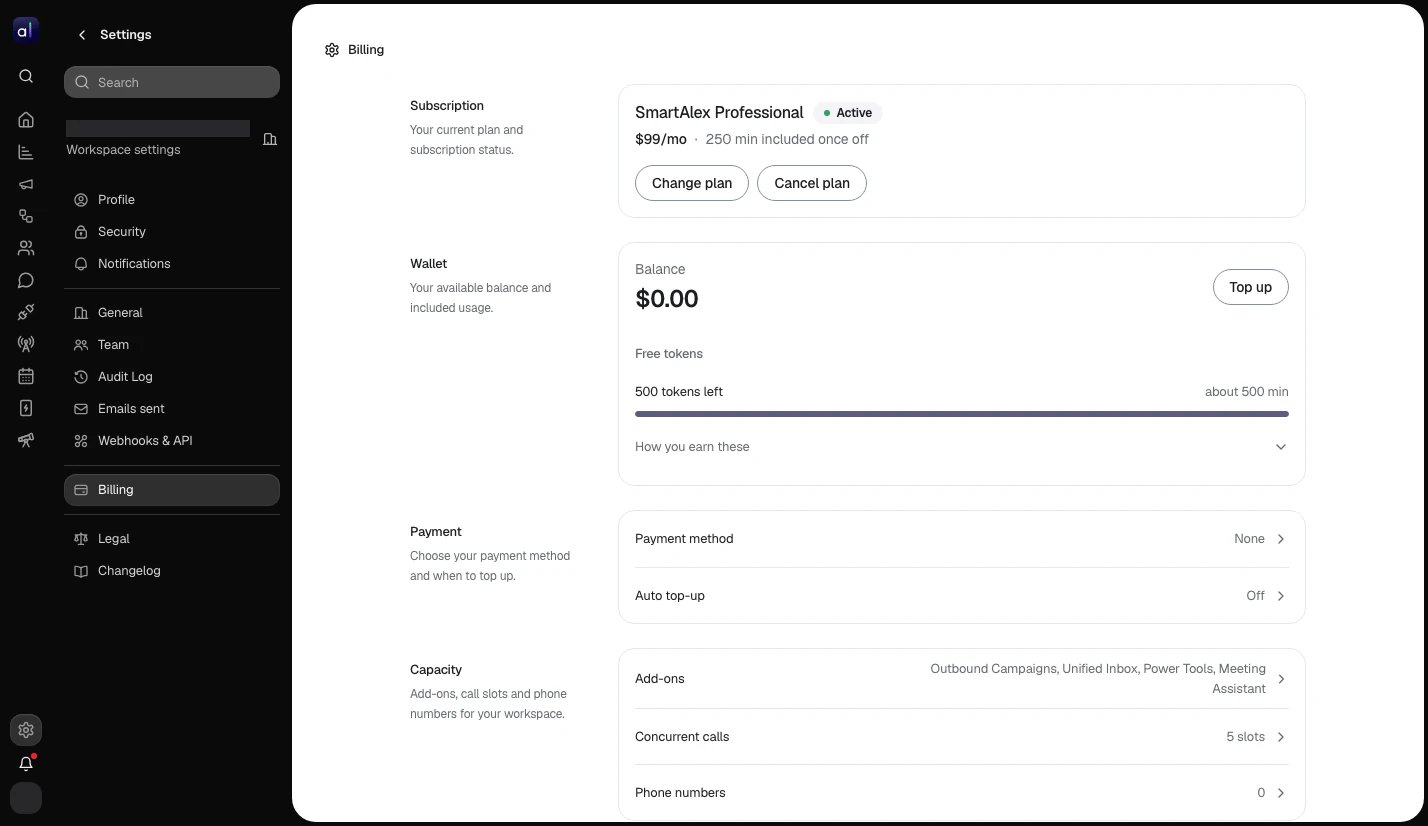
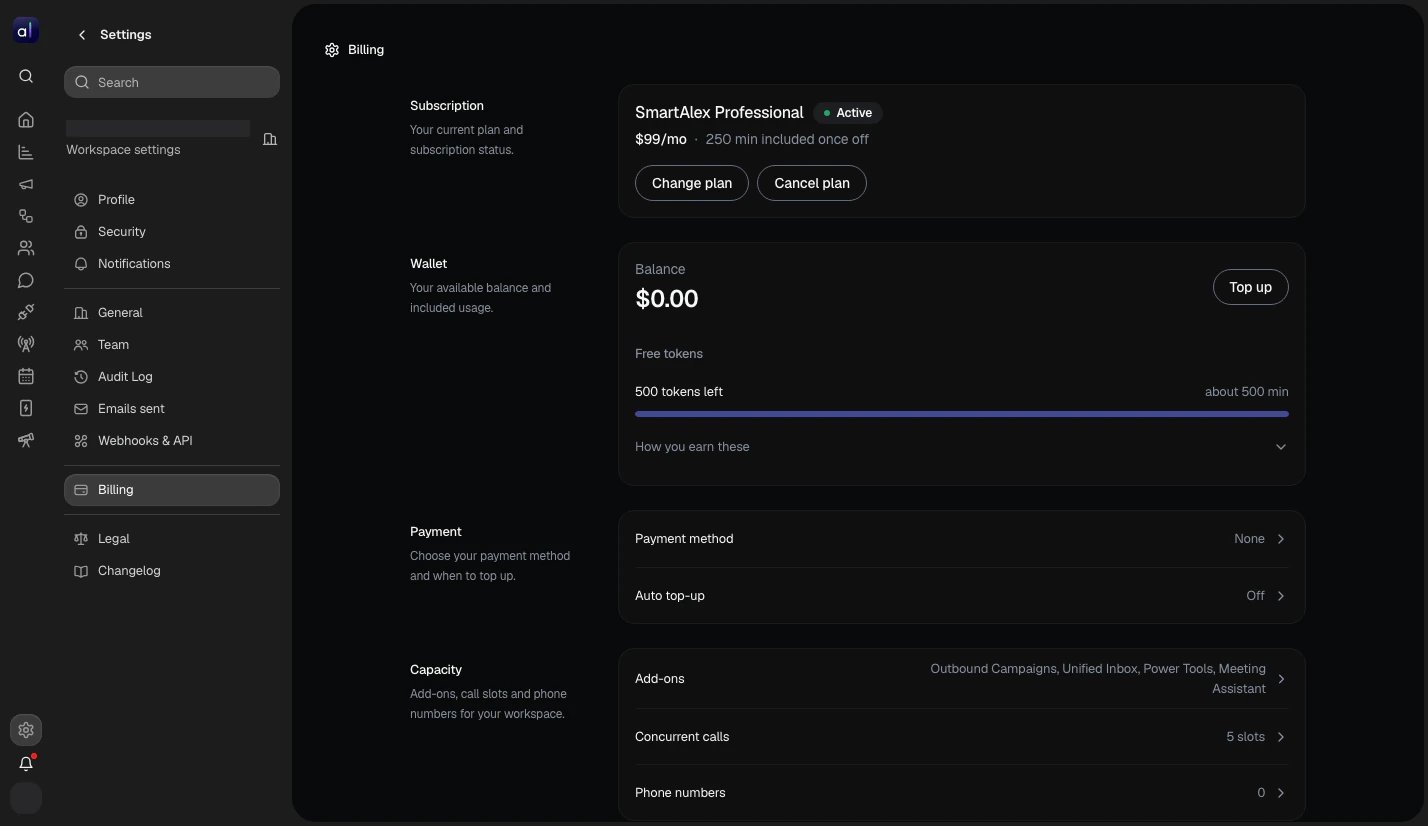
Billing page with the wallet balance and balance preferencesBilling page with the wallet balance and balance preferences

Your wallet, top-ups and spending limits

The diagram shows how SmartAlex pays for each call or message.

Free, trial and plans

You pay for a plan, any add-ons you switch on, and what you use, such as calls and phone numbers, from a prepaid wallet.Professional is $99 a month, or $990 a year, with one agent and 15,000 free call credits per agent, once. Phone numbers cost from $1.38 a month each. Calls cost $0.07 to $0.12 a minute, $0.08 on average, for the AI and the phone line together, paid from your prepaid wallet. Every price is on Pricing.See Pricing.
A free account needs no card and lets you build one agent and talk to it in the browser, with no phone numbers. The trial starts when you add a card: up to 7 days, 100 minutes of calling and every add-on switched on. Professional is the paid plan that starts when the trial ends, or sooner if you start it yourself.See Free trial.
Yes. Add a card to start the Professional trial: up to 7 days with 100 minutes of calling. Paid billing starts when the 7 days end, and you are not charged if you cancel before then.See Free trial. First time: Start your SmartAlex free trial.
No. Creating a free account does not start the clock. The 7 days begin when you start the trial and add a card.See Free trial. First time: Start your SmartAlex free trial.
Yes. Build it and talk to it in the browser on your free account, then start the trial when you want to take real calls.See Quickstart.
Up to 7 days, 100 minutes of calling, and every add-on switched on: Outbound Campaigns, Unified Inbox, Power Tools and Meeting Assistant. You can invite up to 2 people and buy one phone number, which is paid from your wallet. Extra agent slots become available after the trial.See Free trial.
Yes. Outbound Campaigns is switched on for the whole trial, so you can build and run a small campaign. Campaign calls use your trial minutes first.See Add-ons.
Your paid plan starts and your card is charged. You see the end date under Sidebar → Settings → Billing (/account?tab=billing), next to Trial ends. To stop it, cancel before that date. If the payment does not go through, the workspace is suspended.See Billing and top-ups.
Cancel before the 7 days are up. Open Sidebar → Settings → Billing, click Cancel plan, and choose Cancel at period end or Cancel immediately.See Billing and top-ups.
Calls pause until your paid plan starts, and nothing is charged before then. To carry on at once, open Sidebar → Settings → Billing and click Upgrade now, then choose Pay now.See Billing and top-ups.
No. They are separate. Using trial minutes does not use up the minutes that come with your paid plan.See Free trial.
Yes. Start the plan early from Sidebar → Settings → Billing. Click Upgrade now while the trial is running, or Choose plan if you have no plan yet.See Billing and top-ups. First time: Choose or change your SmartAlex plan.
No. The trial is 7 days. You can end it early and start paying with Upgrade now under Sidebar → Settings → Billing.See Billing and top-ups.
Yes. On a free account you can change the agent’s name, voice and greeting, and test it in the browser. Phone numbers and call recording switch on when you start the trial. Once you are on the trial or a paid plan everything stays editable, and settings only turn read-only if the plan lapses.See Voice agents. First time: Quickstart.
You can pause the agent, but not the 7-day trial. Open Sidebar → Agent Settings → Profile → Name and workspace, switch Active off under Behaviour and save. The row then reads “Calls to this agent are rejected.” and Home shows the agent is paused until you switch it back on. To stop the plan being charged, cancel before the date next to Trial ends. Or click Upgrade now under Sidebar → Settings → Billing to start paying early.See Voice agents. Cancelling: Billing and top-ups.

Included minutes and credits

Once. Professional gives each agent 15,000 free credits when it starts, and they do not renew. Real Estate is different: the whole account gets 300 minutes every calendar month, and unused minutes do not carry over.See Plans.
They are the same allowance. One credit is one second of a call at the standard rate. That makes 15,000 credits 250 minutes for a call to or from South Africa. Calls that cost more use credits faster, so you get fewer minutes.See Pricing.
Each call uses credits at a rate set by where it goes and which way it goes. Calls to or from South Africa and calls in the browser use one credit a second. Calls to or from some other countries use more. The same 15,000 credits therefore last fewer minutes on those calls.See Pricing.
Open Sidebar → Settings → Billing (/account?tab=billing). Your allowance and what is left of it show there, and you get an email when you have used 80% and again at 100%.See Billing and top-ups.
The one-off credits on Professional do not expire. They have no cash value and are not refunded. On Real Estate, unused monthly credits expire at the end of the calendar month.See Free credits.

Wallet and top-ups

Open Sidebar → Settings → Billing (/account?tab=billing) and click Top up next to your balance. Pick an amount or type your own, and pay on the secure page. Credit is added when you come back to SmartAlex.See Billing and top-ups. First time: Top up your SmartAlex wallet.
The top-up window shows the smallest and largest amount for your wallet’s currency when you click Top up. To add more than the largest amount, contact our support team.See Billing and top-ups. First time: Top up your SmartAlex wallet.
No. Credit you buy stays in your wallet until you use it.See Billing.
Open Sidebar → Settings → Billing → Balance preferences and switch on Automatic top-up. Set When my balance falls below and Top up by, then click Save preferences. It charges a card already saved on your account, and it stops for the day once the Daily safety ceiling is reached.See Billing and top-ups. First time: Top up your SmartAlex wallet.
Yes. Set a Low balance alert in Sidebar → Settings → Billing → Balance preferences and you are told when the balance falls below it. Without one, you are warned when the balance covers about three days of your recent spending. Automatic top-up keeps it topped up for you.See Billing and top-ups.
It is the most your workspace may spend in a calendar month. It counts everything the wallet pays for: calls, phone numbers, add-on usage, messages and social accounts. Set it in Sidebar → Settings → Billing → Balance preferences under Monthly spend cap, or leave it blank for no cap. Once it is reached, new calls, chats, AI replies and messages wait until the next month.See Wallet and top-ups.
Your monthly spend cap was probably reached. Check Monthly spend cap in Sidebar → Settings → Billing → Balance preferences and raise it or clear it to carry on.See Billing and top-ups.
The agent stops answering incoming calls. The caller hears the call pick up and end after a moment, with no message. Outgoing calls are not placed, website chat gets no reply, WhatsApp and social replies stop, and campaigns pause. You get a notice to top up, and everything starts again straight away once you do. Automatic top-up keeps this from happening.See Billing and top-ups.
Click Update Card or Pay Invoice and pay with a working card. If the account is suspended, click Update Payment to pay what is owed.See Billing and top-ups.

What a call costs

Yes, by the second, and only after the call is answered. Ringing is free, and a call nobody answers costs nothing.Most calls cost $0.07 to $0.12 a minute, and $0.08 on average, for the AI and the phone line together. Only the seconds after a call is answered are charged. Every rate by country is on Pricing.
Two things: the AI processing on the call and the phone line. A call in the browser, or one that comes through your own phone system, has no phone line charge. Number ranges in some countries cost more, and a busier agent costs a little more a minute.See Pricing.
Yes, slightly. Switched-on tools, connected apps and long instructions all add to what the AI reads on every turn of a call. A busier agent therefore costs a little more a minute. Switch off the tools you do not need.See Pricing.
No. API Actions have no charge per request, and setting them up needs the Power Tools add-on. A long response read during a call adds to that call’s price. A system you connect, such as your CRM, may charge its own fees under your agreement with it.See Pricing.
They are paid from your wallet, and free credits do not cover messaging.Charged from your wallet. Free credits do not cover messaging.Example: Professional plus the Unified Inbox add-on, Instagram and WhatsApp connected, and 1,000 AI replies a month comes to about $173.78 a month. Every price and the full working: Pricing.Time in the waiting room counts. Meetings do not use free credits. See Pricing.See Pricing.
A number is charged when you buy it, then monthly for as long as you keep it, and the price depends on the country.A number you connect to WhatsApp also carries a WhatsApp account fee of $7.20 a month. Your wallet needs enough for the number’s first month to buy it. Calls are priced separately. See Pricing.See Pricing.
Yes. Each call shows its charge in Sidebar → Calls → Call Logs (/call-logs) for team members who are allowed to see costs. The Costs and quality option under Export lists the charge for every call, and Analytics shows Spent for the dates you pick.See Billing and top-ups.
These all lower what the wallet pays for:
  1. Set a Monthly spend cap under Sidebar → Settings → Billing → Balance preferences.
  2. Switch off agent tools you do not use, because each one makes every minute a little dearer.
  3. Release numbers you no longer need on Sidebar → Calls → Numbers.
  4. Check Spent on Analytics and the charge on each call in Sidebar → Calls → Call Logs to see where it goes.
  5. Keep add-ons you do not use switched off under Sidebar → Settings → Billing → Add-ons.
See Billing and top-ups.
Yes, for the plan and the balance. The API’s account plan call (GET /account/plan, with the account:read scope) returns your plan, add-ons, free minutes left, wallet balance and agent slots. The AI-app tool smartalex_get_plan_and_usage. Per-minute rates are published and are charged by the second:Most calls cost $0.07 to $0.12 a minute, and $0.08 on average, for the AI and the phone line together. Only the seconds after a call is answered are charged. Every rate by country is on Pricing.Concurrent calls are shown in Sidebar → Settings → Billing → Concurrent calls. You can also ask Alex on Home how many calls are live right now.See MCP tools reference.

Plans, add-ons and capacity

Outbound Campaigns lets your agent call whole lists and retry. Unified Inbox puts messages from every channel in one place. Power Tools adds payment links, booking links and your own API actions. Meeting Assistant joins your video meetings and keeps a searchable record. Real Estate and Enterprise include all four, and the trial switches them all on.Paying yearly costs ten months. On Enterprise, the SmartAlex team switches the add-ons on for you. What you use with an add-on, such as campaign calls or meeting hours, is paid from your wallet. See Pricing.See Add-ons.
You need Professional, the Outbound Campaigns add-on for your workspace, and the usual call charges from your wallet or free credits. The add-on covers the whole workspace, however many agents you run.See Run a campaign.
Open Sidebar → Settings → Billing → Add-ons. Each add-on shows Included, Trial, Active or Cancels on a date. An add-on you already pay for shows as active, not as something to buy again.See Add-ons. First time: Add an add-on, extra agent or extra calls.
Professional includes one agent, and you can add more as paid slots. Add them in Sidebar → Settings → Billing → Add-ons, under Extra AI Agents. Extra agent slots are available once the trial has ended, and the price shows there before you buy.See Extra agents and calls. First time: Add an add-on, extra agent or extra calls.
Professional includes five at once, and Real Estate and Enterprise include 20. Open Sidebar → Settings → Billing → Concurrent calls (/account?tab=billing) and add slots. Up to 5 extra slots start straight away, and a request for more needs approval first, with no charge until it is approved.See Extra agents and calls. First time: Add an add-on, extra agent or extra calls.
There is no setup fee on Free, Professional or Real Estate, and Professional is month to month. An Enterprise roll-out with a lot of custom work may have a project fee, agreed up front.See Pricing.
Yes. Choose yearly when you pick a plan or an add-on. A year costs ten months on Professional and on every add-on, and 9.6 months on Real Estate. An annual plan runs for its twelve months and is not refunded for unused time.See How billing works.
It is for your whole workspace, and every agent and number shares it: 5 calls at once, or 20 on Real Estate and Enterprise. You can add slots. A quarter of the slots is kept free for incoming calls, so campaigns use at most 4 of 5, or 15 of 20. See the total and Slots reserved for inbound under Sidebar → Settings → Billing → Concurrent calls (/account?tab=billing). A campaign’s own Calls at once can never go past what is left for campaigns.See Manage a campaign.

Changing, cancelling and paying

Open Sidebar → Settings → Billing (/account?tab=billing) and click Change plan. An upgrade takes effect immediately, and a change to a lower plan applies at the end of your billing period.See Billing and top-ups. First time: Choose or change your SmartAlex plan.
Open Sidebar → Settings → Billing, click Cancel plan, choose Cancel at period end or Cancel immediately, then click Confirm Cancellation. Cancelling at period end keeps your plan until the paid time runs out. While it shows Cancels on a date, click Keep subscription to change your mind.See Billing and top-ups. First time: Cancel your SmartAlex plan.
Subscription fees already paid are not refunded, and no refund is given for unused time when you cancel immediately. An annual plan is not refundable for its paid twelve months. For wallet credit or anything else, contact our support team.See Billing.
Open Sidebar → Settings → Billing, then Records → Invoices. Recent invoices lists each one with its date and amount, and PDF opens it. Statement lists every charge and top-up, and offers downloads of call records, a spend summary and transactions.See Billing and top-ups. First time: Download a SmartAlex invoice.
In Sidebar → Settings → Billing → Records → Invoices, click Manage billing. It opens the secure billing portal in a new tab, where you can update your details.See Billing and top-ups.
SmartAlex plans and usage are priced in US dollars in every country, and if your card is in another currency your bank converts the charge. A workspace set up on a rand plan is billed in rand instead. Pay by card on every self-serve plan, and Enterprise can pay by invoice.See Pricing.
Prices exclude VAT, GST and similar taxes, which are added to the invoice where SmartAlex must collect them. A price change is announced at least 30 days before it applies, and a yearly plan keeps its price until its next renewal.See Pricing.
Only the workspace owner can manage billing. Anyone else sees a note and can click Email the owner. Owners and admins can see prices elsewhere in the app by default. An owner can switch that on or off for each person under See prices in their page permissions.See Team members and roles.

Pricing

Every plan, add-on and usage price.

Billing and top-ups

Top up, set alerts and download invoices.

Add-ons

Outbound Campaigns, Unified Inbox, Power Tools, Meeting Assistant.

Billing

Your plan, wallet and invoices.
Last modified on November 27, 2026