

SmartAlex encrypts your data, keeps each workspace’s data apart, and gives you controls to switch recording off, delete recordings and delete your account. The legal documents, the data processing terms and the security pack are published for you and your security team.
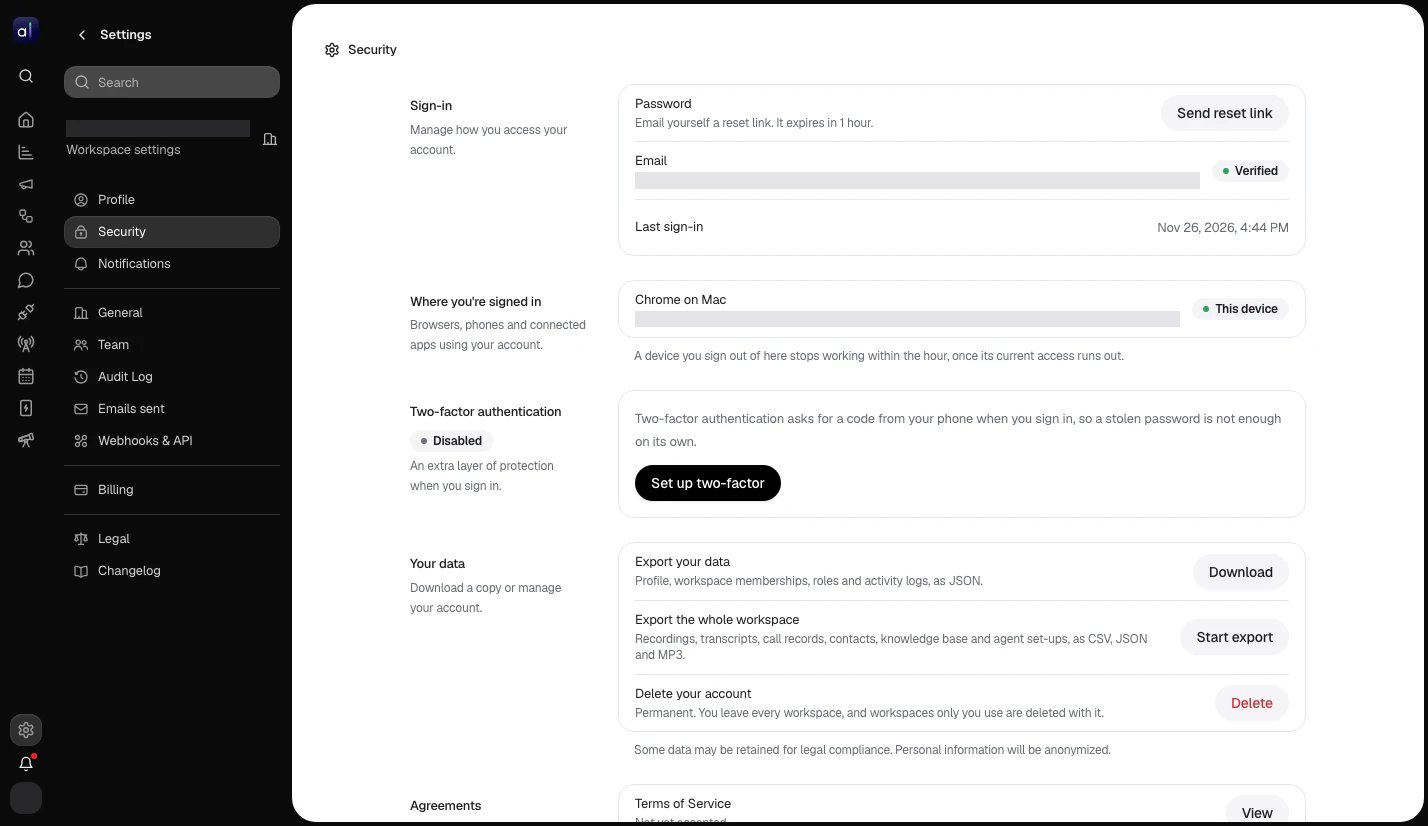
In the app: Sidebar → Settings → Security for your account. The legal documents are on the legal portal.
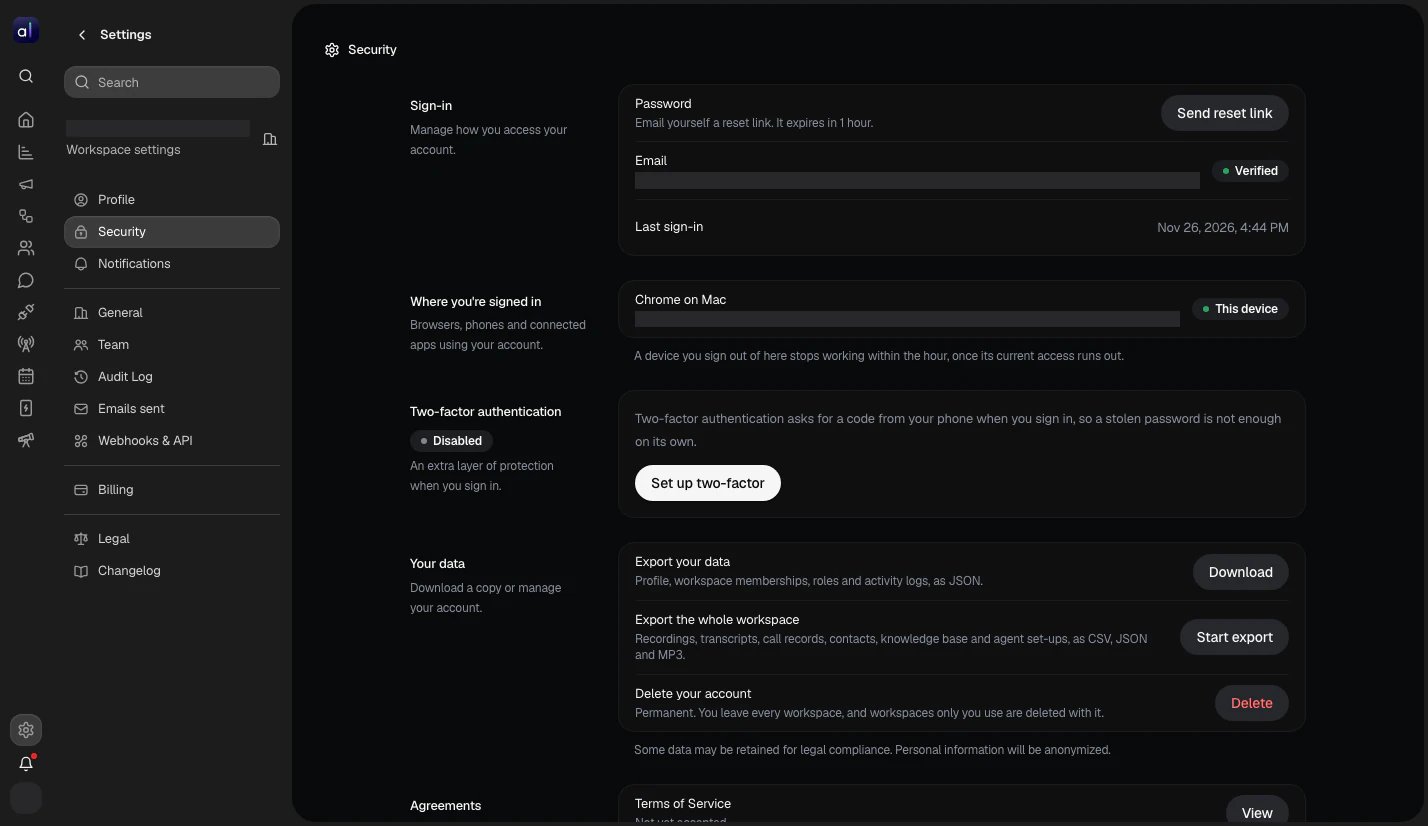
Security settings with two-factor authentication and Your dataSecurity settings with two-factor authentication and Your data

Your sign-in security and your data

Security and compliance

Yes. Data is encrypted in transit and at rest. Each customer’s data is isolated from every other customer’s. Every workspace has roles, two-factor authentication and an audit log. We also run regular security reviews.See Trust & Security.
SmartAlex is built to support the GDPR, UK GDPR, CCPA and CPRA, Singapore’s PDPA, South Africa’s POPIA and Switzerland’s FADP. A Data Processing Addendum (DPA) is available and is part of our Terms of Service, so it applies without separate paperwork. If your procurement team needs a signed copy, email privacy@getsmartalex.com.See Data processing & the DPA.
SmartAlex does not currently hold its own SOC 2 or ISO 27001 attestation, and we never imply that it does. We are working towards SOC 2 Type II readiness. The infrastructure we run on is operated by providers that hold SOC 2 and ISO 27001, and their reports are in our security pack.See Compliance & certifications.
Yes. Trust & Security is a summary written for security and procurement teams. For the detailed material, email security@getsmartalex.com from a corporate address with your company name and what you are assessing. After a non-disclosure agreement we send the security pack, which includes the penetration-test summary and our data protection impact assessment.See Security pack.
Yes, we support security reviews. Send your questionnaire or request to security@getsmartalex.com. Independent penetration tests are run periodically and before major releases, and a summary of the results is shared with qualified customers under a non-disclosure agreement.See Security pack.
Email security@getsmartalex.com. We welcome good-faith reports, we acknowledge them promptly, and our Vulnerability Disclosure Policy gives researchers safe harbour for work within its scope.See Trust & Security.
Without undue delay, and no later than 72 hours after we become aware of an incident that affects your data. We send what we know at that point and follow up in writing as we learn more. We also give you what you need to make any notification you owe as the data controller.See Incident response.
Enterprise plans carry a 99.5% monthly uptime target in our Service Level Agreement, with service credits if we miss it. You can check the live status of the platform at status.getsmartalex.com. The Service Level Agreement is at getsmartalex.com/legal/smartalex-service-level-agreement.See Capacity, Limits & SLA.
Yes, in four places:
  • Responsible AI covers how AI is used, human oversight and the model-training wall.
  • Data lifecycle follows one call from live audio to deletion.
  • Sub-processors lists who handles data, including optional providers used only if you switch a feature on.
  • Sidebar → Settings → Workspace → Audit Log shows who did what in your workspace. Sidebar → Settings → Billing → Records → Statement lists every charge.
See Security architecture.

Your data

Each workspace has a Data region. Open Sidebar → Settings → Workspace → General (/account) to see yours. The providers that handle your data, and where they operate, are on our sub-processor list.See Sub-processors.
No. SmartAlex never uses your voice or call content to train its own models. The AI providers that process call content are contractually barred from training on it, and data sent through their APIs is excluded from model training.See Responsible AI.
You choose. Open Sidebar → Settings → Workspace → General → Data retention. Set a period of 30 days to 5 years for Call recordings, Transcripts, Call summaries and Call records. Or keep Contacts while the account is open. To delete one recording now, open the call and choose Call actions → Delete recording. That removes the audio for good, and the transcript and call details stay. Changing a period asks you to confirm, because it also applies to calls you already have. Each row says whether automatic deletion is on for your workspace.See Find, download and keep call recordings and transcripts.
Yes. Owners and admins open Sidebar → Settings → Security → Your data and click Start export beside Export the whole workspace. It packs recordings, transcripts, call records, contacts, knowledge and agent set-ups as CSV, JSON and MP3, and emails you when it is ready. Export your data on the same page downloads your own profile, memberships and activity.See Data lifecycle.
You can ask us for your data within 30 days of closing. We email the owner 14, 30, 45 and 60 days after your subscription ends and again the day before deletion. Your numbers are released 7 days after the last paid month, and a released number does not come back. If you come back before deletion, your agents, widgets, campaigns and integrations switch back on. On day 75 we delete the workspace in full from active storage, never sooner than 7 days after the first email. Our DPA promises deletion within 90 days. Copies in routine encrypted backups are overwritten within 180 days. We keep only records the law requires, such as invoices.See Data lifecycle.
It is kept out of your records. Agents are told never to ask for, write down or repeat card details. Card numbers, security codes, expiry dates and ID numbers are replaced in the stored transcript. The same moments are silenced in the recording, and if they cannot be placed precisely the recording is not kept.See Data lifecycle.
Only our support team, and only through a time-limited pass when you ask for help. Every pass is shown in Sidebar → Settings → Workspace → Audit Log. Staff access to a recording, transcript or export is logged before it opens. The workspace owner can turn this off with SmartAlex staff access under Sidebar → Settings → Workspace → General → Security and access.See Security architecture.
Our sub-processor list names the categories of provider that handle your data, what each does and where it operates. We email your designated contact at least 30 days before a new one starts. An owner or admin chooses who gets that email under Sidebar → Settings → Workspace → General → Subprocessor changes. You can add up to five more addresses there.See Sub-processors.
The customer. Each customer has its own workspace, and its owner manages the team and Billing. A partner follows its customers from the partner portal.See Use the partner portal.

Recording and caller safety

You are responsible for caller consent where you call, so check the rules for your region in the Telephony & Call Recording Notice. SmartAlex gives you the tools. An owner or admin can switch on Say the call is recorded under Sidebar → Settings → Workspace → General. Agents then announce it at the start of every recorded call. It is off until you turn it on.See Legal documents.
Yes. By default calls are recorded and transcribed. Under Sidebar → Settings → Workspace → General → Call recording, an owner or admin can switch off Incoming and web calls or Outgoing calls. An agent, number or campaign can have its own setting. Ask before recording lists countries where callers are asked first and the call is recorded only after a clear yes. Calls are still transcribed when recording is off.See Find, download and keep call recordings and transcripts.
After each analysed call, SmartAlex checks what the caller said for a complaint, signs of distress or signs they may be vulnerable. If it finds one, owners and admins get an alert in the app and by email. It is titled “A caller needs a person” and has part of the transcript and a link to the call. It alerts once per call. To send these to an outside inbox, such as a complaints address, add it under Sidebar → Settings → Notifications → External recipients. Then subscribe it to A caller complained or needs care.See Responsible AI.
You are responsible for making sure it is lawful where the people you call live. That includes registering as a debt collector where required, calling hours and harassment limits, and the credit and privacy laws that apply. When you tick Debt collection campaign, SmartAlex shows a notice about this and records who accepted it and when.See Campaigns.
On an incoming call from a number SmartAlex knows, the agent greets the caller by first name. It keeps their contact notes, CRM fields and earlier call summaries back until they read back a 6-digit code texted to that number. The code lasts 10 minutes. At most 2 codes are sent on a call, and 3 wrong tries lock the check, so someone faking a caller ID gets nothing. Outgoing and website calls are not checked.See Security architecture.
The Terms of Service are at smartalex-terms-of-services. The Privacy Policy is at smartalex-privacy-policy. The Acceptable Use Policy is at smartalex-acceptable-use-policy-aup. The End User Licence Agreement is at smartalex-end-user-licence-agreement, and the Cookie Policy is at smartalex-cookie-policy. Put any of these after getsmartalex.com/legal/.See Legal documents.
The DPA is at data-processing-addendum-dpa and the sub-processor list at smartalex-subprocessor-list. The data subject request procedure is at smartalex-dsar-procedure and the retention policy at smartalex-data-retention-policy. Regional notices include smartalex-gdpr-article-13-notice, smartalex-popia-notice and smartalex-california-privacy-notice. Put any of these after getsmartalex.com/legal/.See Legal documents.
The Telephony & Call Recording Notice is at smartalex-telephony-notice, the outbound calling policy at smartalex-outbound-calling-policy and the text messaging rules at smartalex-sms-messaging-compliance. The AI Usage Policy is at smartalex-ai-usage-policy and the synthetic voice policy at smartalex-synthetic-media-policy. Put any of these after getsmartalex.com/legal/.See Legal documents.
The Trust and Security Overview is at smartalex-trust-and-security, the Vulnerability Disclosure Policy at smartalex-vulnerability-disclosure and the incident response notice at smartalex-incident-response-notice. The Service Level Agreement is at smartalex-service-level-agreement and the service status notice at smartalex-service-status-notice. Put any of these after getsmartalex.com/legal/.See Legal documents.
The registered company, its address and its registration details are in the Imprint & Legal Notice, at smartalex-imprint on getsmartalex.com/legal/.See Legal documents.

Security

How SmartAlex protects your data.

Compliance

Laws and frameworks we support.

Data processing

How we process data for you.

Legal documents

Every published legal document.
Last modified on November 27, 2026