

In the app: Sidebar → Campaigns → New campaign → Who (
/campaigns/new). To add people to a campaign that already exists, open it and use Campaign settings → Add contacts; see Manage a running campaign. On the Real Estate plan, Campaigns is under Sidebar → Pipeline.Select contacts
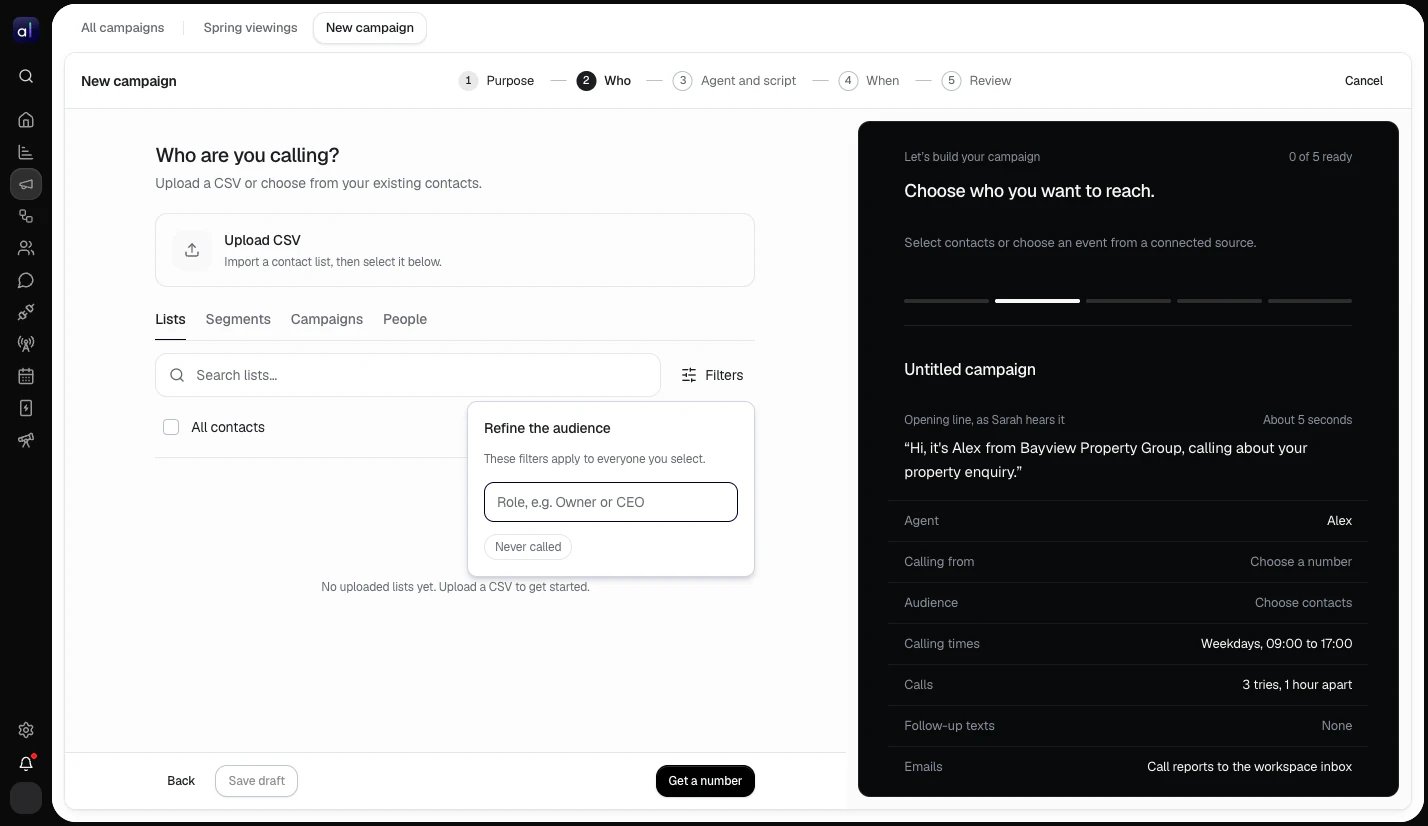
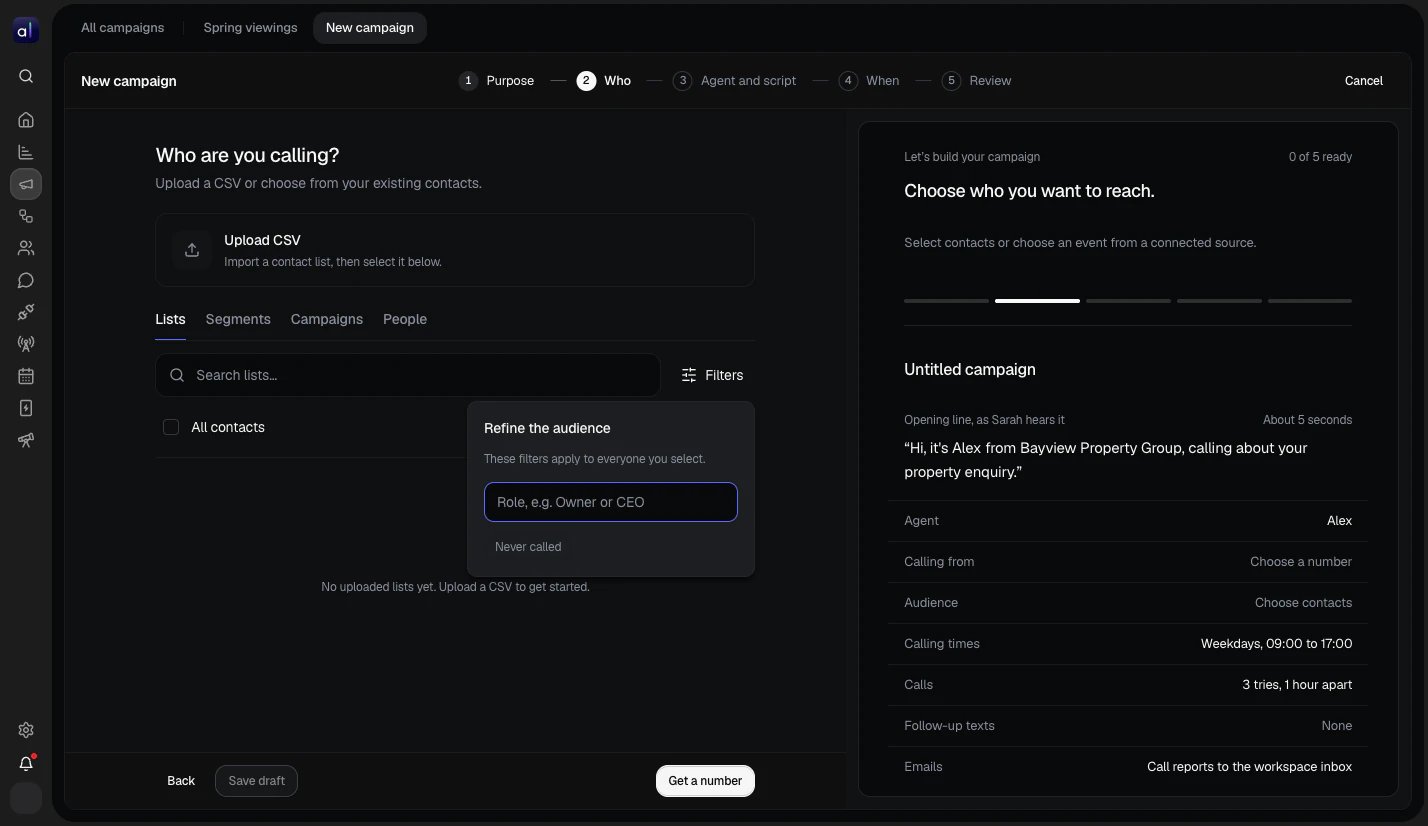
Pick lists, segments, earlier campaigns or people
- Each tab has its own search box.
- All contacts at the top selects everyone. Untick it to choose a smaller audience.
- Filters opens Refine the audience. The filters apply to everyone you select: a role (for example Owner or CEO), audience groups, and Never called. Clear removes them.
- Upload CSV imports a new list without leaving the builder, then you select it under Lists. You need permission to create contacts. See Import contacts.
From a connection
When Shopify or Rex is connected, the Who step shows two choices: Select contacts and From a connection. With From a connection, the event adds people to the campaign as it happens. Connect them first under Agent Settings → Connectors.Shopify
A Shopify campaign calls only customers who ticked “Call me about my order” and gave a mobile number. It calls up to 50 people a day, one call per person every 14 days, within your calling times.
Rex
For the three listing events, choose Sales or Lettings. Rex is checked every 3 hours, and a listing counts as new for 7 days. Buyers are called when their budget is within 10% of the price either side. One listing call per person every 14 days, at most 50 people a day. Chosen listings allows 200 a day, because it runs only once, when you start it.
Each event fills in a starting goal for the call, which you can change on the Agent and script step.
Questions people ask
Why is the audience smaller than my list?
Why is the audience smaller than my list?
People on your Do Not Call list and people with no phone number are never counted or called. Rows in your file that shared one phone number were also combined into one contact when you imported it.
Can I call everyone who went to voicemail last time?
Can I call everyone who went to voicemail last time?
Yes. On the Who step, open the Campaigns tab and pick the earlier campaign’s Went to voicemail group. Or choose Anyone who went to voicemail across all your campaigns.
How often does a Shopify or Rex campaign call the same person?
How often does a Shopify or Rex campaign call the same person?
At most once every 14 days for the same kind of event, and only inside the campaign’s calling times. Up to 50 people a day are called, or 200 for Chosen listings.
Related
Import contacts
File types, columns and the 5,000-row limit.
Lists, tags and custom fields
Keep your lists and segments tidy.
Campaigns from other systems
Shopify, Rex, a campaign web address and the API.

Shopify
Connect your store.
Start free
Build an agent and talk to it in your browser in about a minute. No card needed.
Visit getsmartalex.com
See what SmartAlex does for your business, hear real agents and compare plans.