

In the app: Sidebar → Analytics → Outcomes (/analytics?tab=outcomes). It uses the date range at the top of the page.
Did the agent do its job, and how well
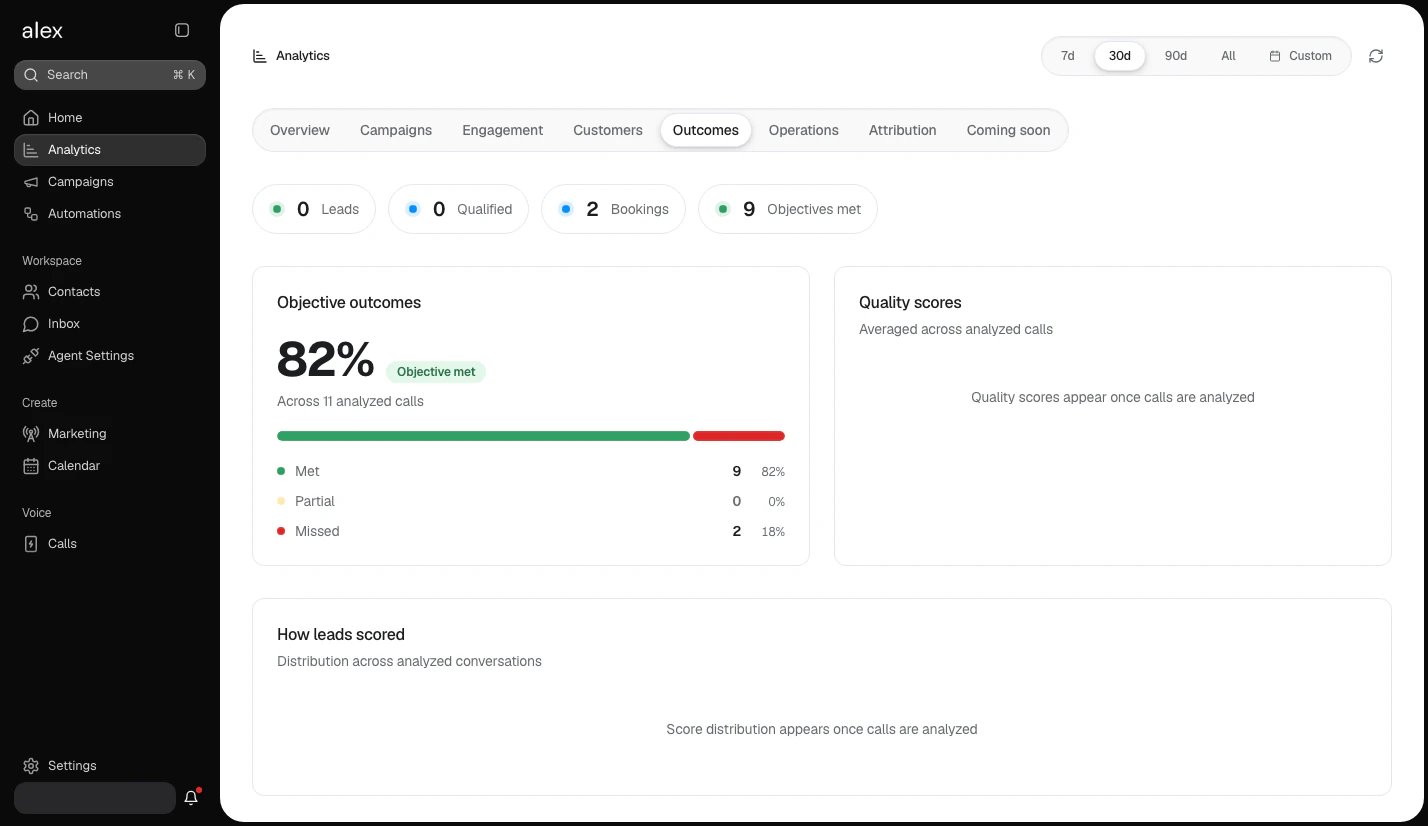
The figures across the top
Objective outcomes
Each agent can have an objective, such as booking a viewing or qualifying a lead. After each call, the AI grades the call against the objective saved on the agent that took it. If the agent has none, the AI works out the most likely goal from the agent’s role and grades against that.
The big number is Met divided by every analysed call, labelled Objective met. Under it, “Across N analyzed calls”. An analysed call with no verdict counts in that total but in none of the three rows.
Quality scores
“Averaged across analyzed calls.” The AI scores the agent’s performance on each call from 0 to 100, not the caller’s. The card shows the average of each score, rounded to a whole number:
Each bar is drawn against the highest of the four, so the longest bar is always the best score.
How leads scored
“Distribution across analyzed conversations.” A bar chart of lead scores in five bands: 0-19, 20-39, 40-59, 60-79 and 80-100. Each bar is the number of calls in that band. Only calls with a lead score are in the chart. The lead score is a follow-up priority: how valuable the person is and how soon to call back. The AI weighs their interest, how well they qualified and how engaged they were. It also checks whether the objective was met and whether a concrete next step was captured. Then it picks a band:
SmartAlex counts a score of 40 or more as qualified.
Cost by call type
A table of your calls by the five call types, with a Total row.
The Total row’s cost per call is total spent divided by all calls, and its average length covers every call.
Questions people ask
Where does the objective come from?
Where does the objective come from?
From the agent that took the call. Give each agent a clear objective in its settings on Home. Without one, the AI guesses the goal from the agent’s role, and Met, Partial and Missed become less useful.
Why is Qualified lower than Leads?
Why is Qualified lower than Leads?
Leads also counts calls where the AI picked up contact details, even with a low score. Qualified counts only scores of 40 or more.
What score should I aim for?
What score should I aim for?
There is no fixed target. Watch the trend: compare this month with last month, and open a few low-scoring calls in Call Logs to see why.
Why is Test my biggest cost?
Why is Test my biggest cost?
Test calls are charged like any other call. While you build and tune an agent they can be most of your spend. It drops once the agent is live.
Quality scores say they appear once calls are analysed
Quality scores say they appear once calls are analysed
No call in the range has quality scores yet. Pick a wider range, or wait for new calls to be analysed.
Related
Operations tab
Speed, containment and how calls ended.
Call Logs
Open a missed call and see what happened.
Agents
Set the objective your agent works towards.
Metrics glossary
Every figure in one list.