

In the app: Agent Settings in the sidebar (/home?settings=tools), or + → Agent settings in the message box on Home. When you have several agents, pick one from the name at the top of the list.
The sections
This diagram shows the sections of Agent Settings and what each one holds.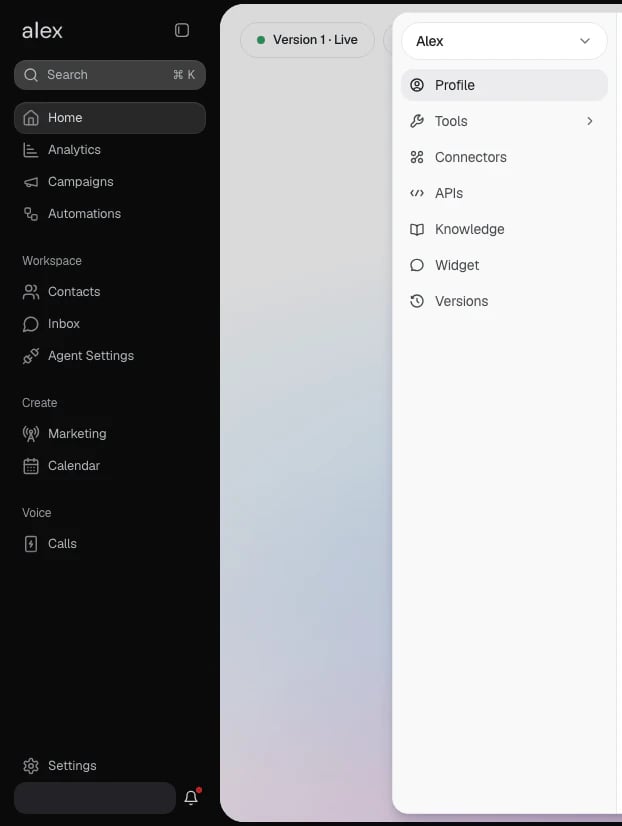
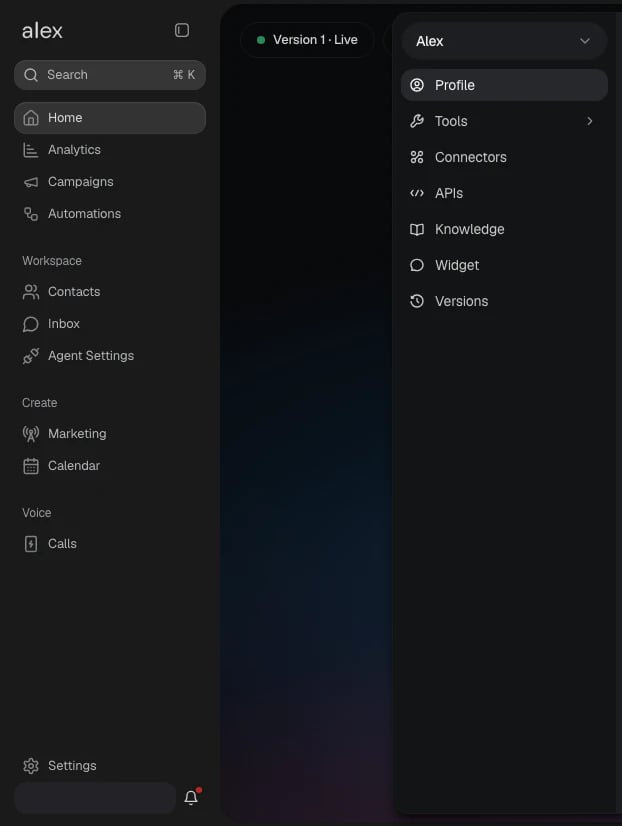
Every Agent Settings section
Profile
Name and workspace, Voice and greeting, Phone numbers, Recording and Tool access key.
Tools
Every built-in tool, switched on or off. Up to 20 live at once.
Connectors
WhatsApp, SMS, email, calendars, CRM and the other apps the agent uses.
APIs
Your own web services as tools. Power Tools add-on.
Knowledge
Files, web pages and documents it answers from, plus documents and links it can send.
Approved content
For regulated businesses: answer only from signed-off content.
Widget
The chat and voice widget for your website.
Versions
Every saved change, with who made it and what changed.
Messaging channels used to have their own Channels page. WhatsApp, SMS, email and social accounts are now connected under Agent Settings → Connectors, and old Channels links open there. See Integrations.
Open a section directly
Each section has its own address, which is handy for bookmarks and for sending a teammate to the right place.Instructions are not a section
The agent’s objective, sample phrases, business rules, pronunciation and guardrails open in their own Instructions sheet: + → Edit instructions on Home. See Instructions and guardrails.Who can change settings
- You need edit access to agents to change anything here. Without it, every field is read only.
- While a draft is open, sections that change the live agent straight away are locked, with a yellow note that has Publish and Discard buttons. See Versions and drafts.
- On the free plan you can edit the name and voice, while phone numbers, recording and the tool access key need a paid plan.
Questions people ask
Where did Channels go?
Where did Channels go?
Channel set-up moved into Agent Settings → Connectors. Old
/channels links open Agent Settings.Where did Agent Tools go?
Where did Agent Tools go?
It is Agent Settings → Tools. Old
/agent-tools links open it.Why is everything greyed out?
Why is everything greyed out?
Either a draft is open (publish or discard it), your role cannot edit agents, or your subscription is read only. The yellow note at the top says which.
Do settings apply to all my agents?
Do settings apply to all my agents?
No. Each agent has its own settings, but business hours and transfer hours are shared across the workspace.
Related
Home
Change the agent by chatting with Alex.
How a call works
How each setting shapes a call.
Start free
Build an agent and talk to it in your browser in about a minute. No card needed.
Visit getsmartalex.com
See what SmartAlex does for your business, hear real agents and compare plans.