

In the app: Inbox (/inbox) to see replies. The switches are in Sidebar → Agent Settings → Connectors.
What decides who answers
This diagram shows who answers a new message in the Inbox.Automatic replies
A message your agent sent by itself shows Automatic next to the time. Hover over it to read “This reply was generated and sent automatically”. Messages your team sent have no label. The agent answers with its own instructions, knowledge and tools, the same as on a call, and replies on the channel the person used.Drafts
A draft is an answer your agent wrote that nobody has sent yet. You get one when:- your email is set to Draft first, so the agent writes each answer and leaves it for your team, or
- someone clicked Suggest a reply and has not sent it yet.
1
Open the conversation
The draft shows in a strip above the reply box.
2
Use it or drop it
Click Use draft to put it in the reply box, on the channel the agent wrote it for. Click Dismiss to drop it.
3
Check and send
Change anything you like, then press Enter or click Send reply.
Switch AI replies on or off
Open Sidebar → Agent Settings → Connectors, then SMS. The AI auto-replies card is there. Each WhatsApp number’s card has the same switch, shown as AI replies. Once a Gmail or Outlook mailbox is connected, its card has reply settings too, under Reply behaviour.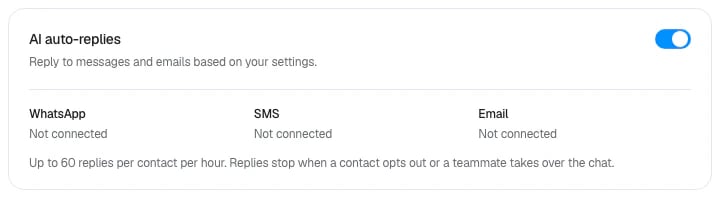
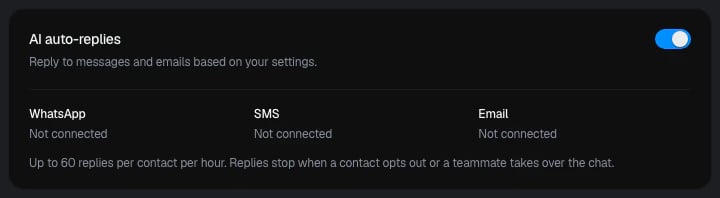
One switch for WhatsApp, SMS and email
Social accounts have their own switches on each account’s card, one per reply type: direct messages, comments or reviews, depending on what that network sends. See Connect your messaging channels.
If the Greeting message is on in the WhatsApp Business app, customers get it as well as your agent’s reply. Turn it off in that app under Business tools → Greeting message.
When chats are waiting for a reply
If your agent’s answer to a chat message did not finish, SmartAlex tries again every 2 minutes. While any are waiting, the top of the list says “1 chat is waiting for a reply” or “3 chats are waiting for a reply”. Beside it is an Answer now button. Click it to send them straight away. If that does not work either, you see “The waiting chats were not answered yet. They are retried every 2 minutes.”What each reply costs
Charged from your wallet. Free credits do not cover messaging.
Example: Professional plus the Unified Inbox add-on, Instagram and WhatsApp connected, and 1,000 AI replies a month comes to about $173.78 a month. Every price and the full working: Pricing.
Questions people ask
How do I tell which messages the AI sent?
How do I tell which messages the AI sent?
Look for Automatic next to the time on a message. Your team’s messages carry no label.
Can I check every answer before it goes out?
Can I check every answer before it goes out?
On email, yes: set Answer emails to Draft first. On other channels, turn the AI switch off for that channel and use Suggest a reply when you want help writing.
I replied, but the agent answered too. Why?
I replied, but the agent answered too. Why?
On WhatsApp, Instagram and Facebook the agent waits for the time set in Pause after a teammate replies. If the customer writes again after that time, the agent answers again. Make the pause longer on the WhatsApp number’s card if your team needs more time.
Why did a draft disappear?
Why did a draft disappear?
A draft goes once someone sends a reply in that conversation or clicks Dismiss.
Related
Reply to a conversation
Send your own answer.
Messaging channels
Connect channels and their AI switches.